Why Google My Business Is the Most Under-Used Marketing Channel for Food Trucks
When you run a food truck, time is scarce. Between prep, service, stock management, and accounting, digital communication often takes a back seat. Yet your Google My Business listing works for you 24/7, even while you're in the middle of a service.
Today, over 80% of consumers do a Google search before visiting an unfamiliar food outlet. Queries like "food truck near me", "takeaway burger [city]", or "food truck market [town name]" generate thousands of monthly searches. If your listing isn't optimised, you're letting those potential customers walk past.
The good news: unlike paid advertising or Instagram campaigns, optimising Google My Business costs nothing — just a few hours of setup and 15 minutes a week to maintain.
Creating and Claiming Your Google My Business Listing
Step 1: Create your account
Go to business.google.com and sign in with your Google account. Click "Add your business" and fill in:
- The exact name of your food truck (as it appears on your truck and social media)
- The primary category: choose "Food truck" or the closest match for your cuisine (e.g., "Burger restaurant", "Fast food restaurant")
- Your phone number and website (or your FoodTracks / booking link)
Step 2: Verify your listing
Google must confirm you own the business. Available verification methods:
- Postcard (most common): Google sends a code to a postal address
- Live video call: you show your truck and documents on a video call
- Phone: less common for food trucks without a fixed address
Step 3: Set up your service area
Unlike a restaurant with a fixed premises, your food truck moves. In your listing settings, enable the "Service area" option rather than displaying a fixed address. Enter the cities, districts, or postcodes where you operate regularly.
The 7 Key Elements of an Optimised Listing
1. Business name
Use exactly your food truck's trading name — do not stuff keywords into it artificially (e.g., "The Chef's Burger — Best Food Truck Paris"). Google penalises keyword stuffing in business names. Clarity comes first.
2. Description (750 characters)
The description is a free-text field where you can talk about your concept, cuisine, and values. Naturally integrate your main keywords:
- Type of cuisine
- Cities or areas you cover
- What sets you apart (local produce, homemade recipes, etc.)
3. Photos
This is the highest-impact element for click-through rate. Listings with more than 100 photos receive on average 520% more calls than those with no photos (source: Google). For a food truck, aim for a minimum of:
- 5 photos of your signature dishes (natural light, clean background)
- 2–3 photos of your truck in action (service, market)
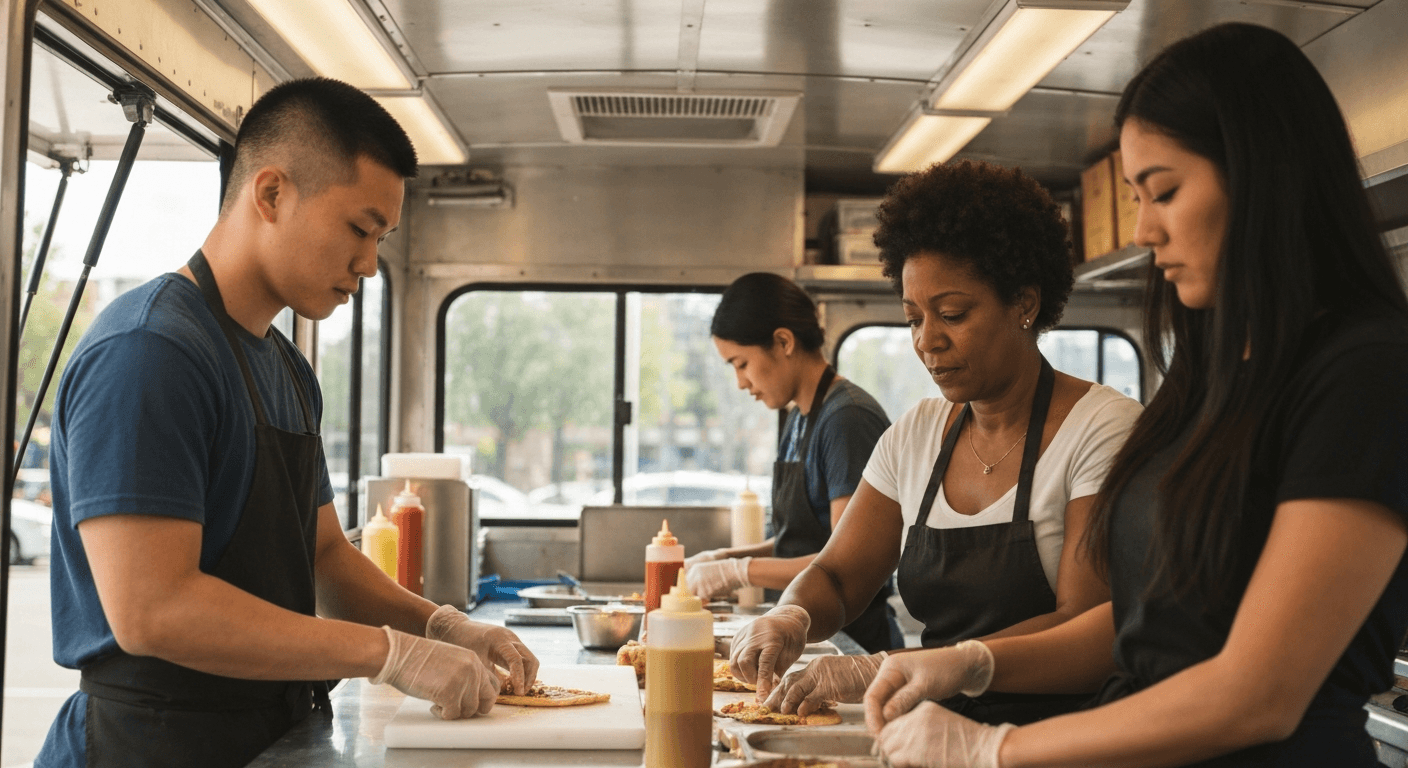
- 1–2 photos of your team at work
- 1 photo of your logo or signage
4. Hours
Set hours that reflect your typical activity. For days off, use the "Special closure" feature rather than editing your base hours. If your schedule changes every week, combine:
- Broad general hours (e.g., Tue–Sat 11:30am–2:30pm)
- Weekly posts to specify locations
5. Attributes
Attributes are characteristics displayed directly on your listing: card payments accepted, online ordering, wheelchair accessible, outdoor seating, etc. Tick all that apply — they appear in search results and influence Google Maps filters.
6. Order or booking link
If you use a pre-order link (via FoodTracks, Instagram, or another tool), add it in the "Order URL" section of your listing. It becomes an action button visible directly on your listing — a direct conversion lever.
7. Secondary category
In addition to your primary category, add secondary categories that match your activity: "Caterer", "Event catering service", "Meal delivery service", depending on what you offer. Each additional category increases your exposure surface in searches.
Collecting Reviews: The Concrete Strategy
Google reviews are the number-one trust factor for a new customer. A BrightLocal study (2025) found that 88% of consumers trust online reviews as much as personal recommendations. For a food truck, reviews are even more decisive: a customer who discovers you via Google has no other reference point.
Get your direct review link
In your Google My Business dashboard, click "Get more reviews" to generate a short link you can share directly. Shorten it with Bitly if needed.
The 4 channels for requesting reviews
Face to face: at the end of service, while the customer is waiting for their order or paying, simply say: "If you enjoyed it, a Google review really helps us get noticed — there's a QR code on the truck."
Physical QR code: print a QR code pointing to your review link and display it on your truck, counter, and packaging. This is the most effective solution because it's passive — you don't need to do anything.
SMS / WhatsApp: if you have a loyal customer group, send a short thank-you message after each service with the direct link. Short, warm, effective.
Social media: a monthly Instagram story reminding your community that a Google review is the best free way to support you.
Respond to every review
Reply to every review — positive and negative. For positive reviews, a short personalised response is enough. For negative reviews, apply the ACRA method: Acknowledge, be Calm, accept Responsibility, propose Action. Never engage in a public argument.
Google My Business Posts: The Best-Kept Secret
GMB Posts are mini-publications visible directly in your listing panel. Very few food trucks use them — this is your immediate competitive advantage.
Useful post types for a food truck:
- "Update": tomorrow's location announcement
- "Offer": weekend flash promotion
- "Event": participation in a market or festival
- "Product": spotlight on a new menu item
Measuring Performance with Google Insights
The Google My Business dashboard includes free statistics on your listing:
- Number of views (Google Search + Maps)
- Actions taken (calls, directions, website clicks)
- Search queries that triggered your listing
- Comparison with similar businesses
The FoodTracks Connection
FoodTracks is designed to save you time on operational management — stock, supplier orders, sales tracking — so you can devote more energy to the commercial and marketing side. By reducing administrative time, you free up 30 to 60 minutes a day to invest in your local visibility.
Further reading: Food Truck Social Media Strategy · Increase Sales Without Paid Advertising · Food Truck Loyalty Programme
Frequently Asked Questions
- Do I really need a Google My Business listing for my food truck?
- Yes, it is essential. The vast majority of proximity searches ('food truck near me', 'takeaway burger [city]') go through Google Maps and the Local Pack. Without a listing, you are invisible for these searches. Creating one is free and takes under an hour. It is one of the few marketing channels where the ROI is immediate and measurable.
- How do I manage hours on Google My Business when my food truck changes location every day?
- This is the specific challenge for mobile food trucks. The recommended solution: set broad 'general' hours (e.g., Mon-Sat 11am-3pm) and use Google Posts to announce your location for the day. Some food truckers also create a Google Maps listing for each recurring fixed pitch. The key is to never let a customer make a wasted journey because of an inaccurate listing.
- How do I get more Google reviews for my food truck?
- The most effective method is the simplest: ask directly. At the end of service, tell satisfied customers that their review really matters. Display a QR code pointing to your Google review form on your truck and packaging. You can also send a thank-you message by SMS or WhatsApp with the direct link. Never offer an incentive (discount, gift) in exchange for a review — that is against Google's terms.
- How should I respond to a negative Google review?
- Always respond, quickly (within 48 hours) and calmly. Start by thanking the customer for their feedback, acknowledge the problem without over-apologising, and offer a concrete solution (a call, a discreet goodwill gesture). Never engage in a public argument. Future customers read responses as much as reviews — a professional reply to a negative review can actually build trust.
- Do Google My Business Posts actually help a food truck?
- Yes, much more than people think. Posts appear directly in your listing panel when someone searches for you on Google or Google Maps. For a food truck, they are ideal for announcing your next day's location, a special menu, an event, or a promotion. One post per week is enough to signal to Google that your listing is active, which helps your local ranking.